


Benefits
DOKinform® SAPconnector integrates your SAP system with the DMS / ECM system of your choice.
Barcode/ Linking documents
Through DOKinform® SAPconnector documents can be connected/linked with SAP business objects. As soon as a link/a connection is generated the document can be displayed by SAP.
In addition the index data can be get from SAP and be used as search data (more in “Index download”.
In a particular case a connection is realizable through a barcode. It can be used for example to register your receipt for a MM order.
In DMS the barcode can be automatically used for an additional converting.
In addition the index data can be get from SAP and be used as search data (more in “Index download”.
In a particular case a connection is realizable through a barcode. It can be used for example to register your receipt for a MM order.
In DMS the barcode can be automatically used for an additional converting.
Work item generation
A work item from DMS can be generated directly in SAP Business Workplace. It can be prepacked with process data and provides a quick and effective registration and handling in SAP.
This approach can be used for example for booking incoming invoices and credit notes.
This approach can be used for example for booking incoming invoices and credit notes.
MM posting/ booking an invoice
Through DOKinform® SAPconnector your MM invoices can be booked automatically without a manual input in SAP.
In case the system detects an error while booking a work item will be generated in SAP Business Workplace. The work item is already polulated with your data from DMS, so the operator can check the invoice and the booking can be finished manually.
In addition the index data can be collected from SAP and used as search data (more in “Index download”).
In case the system detects an error while booking a work item will be generated in SAP Business Workplace. The work item is already polulated with your data from DMS, so the operator can check the invoice and the booking can be finished manually.
In addition the index data can be collected from SAP and used as search data (more in “Index download”).
FI posting/ booking an invoice
Your FI invoices (for example transaction FB 60) can be booked through DOKinform® SAPconnector and it will help you to reduce an enormous part of your manual work.
Through DMS available data regarding a document (creditor, date, external reference, amounts, tax keys etc.) a work item is generated in SAP Business Workplace. The work item is executed by the user and the additional data can be entered manually in a short period of time.
Index data for this document can be additionally collected from SAP and used as search data (more in “Index download”).
Through DMS available data regarding a document (creditor, date, external reference, amounts, tax keys etc.) a work item is generated in SAP Business Workplace. The work item is executed by the user and the additional data can be entered manually in a short period of time.
Index data for this document can be additionally collected from SAP and used as search data (more in “Index download”).
Master data download
Generally highness about creditors and debitors master data is directed by SAP System. Other systems for example DMS or DocXtracor need data for operating their own process that are not related to SAP.
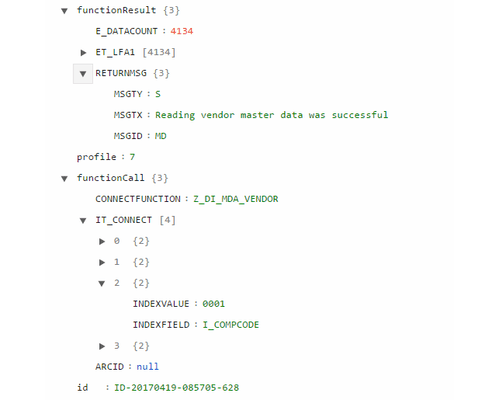
DOKinform® SAPconnector provides all new or modified master data. They can be used either at once or can be stored in a temporary SQL-data storage.
The suppliers’ matching data (SFI_VENDOR) can be provided for DocXtractor and also can be updated continuously.
DOKinform® SAPconnector provides all new or modified master data. They can be used either at once or can be stored in a temporary SQL-data storage.
The suppliers’ matching data (SFI_VENDOR) can be provided for DocXtractor and also can be updated continuously.
Index download
The documents can be connected between DMS and SAP through a definite key. Through this key every document in SAP can be displayed at any time.
For a direct search in the DMS the index data must be enhanced with data from SAP. This is done through “Index download”.
Through this data your DMS can create variable documents structures for presentation oth the documents in a hierarchical tree structure.
As a standard data are supplied for all major SAP business objects, they can be completed and extended individually.
For a direct search in the DMS the index data must be enhanced with data from SAP. This is done through “Index download”.
Through this data your DMS can create variable documents structures for presentation oth the documents in a hierarchical tree structure.
As a standard data are supplied for all major SAP business objects, they can be completed and extended individually.
CIC / CRM Integration
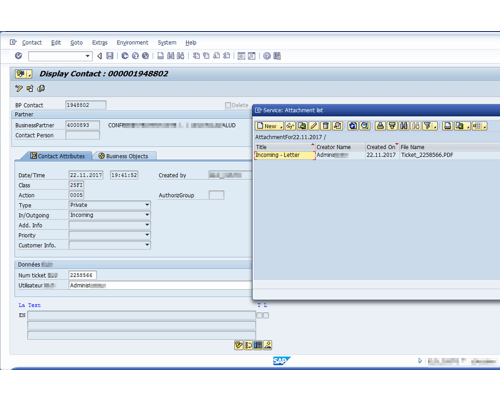
A new SAP CRM contact for an existing business partner can be created directly from the DMS. All relevant contact data can be transferred automatically and the documents can be linked to this contact.
On demand contact can be edited or deleted (after approval in DMS).
On demand contact can be edited or deleted (after approval in DMS).
Pictures
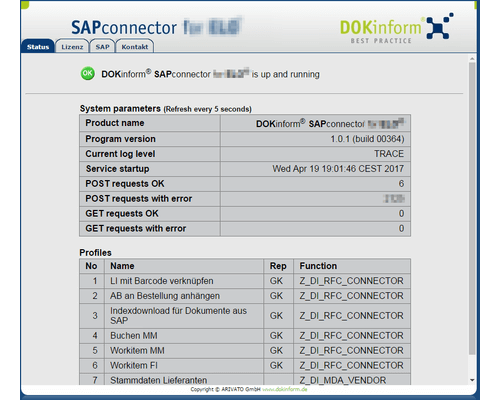
Statuspage
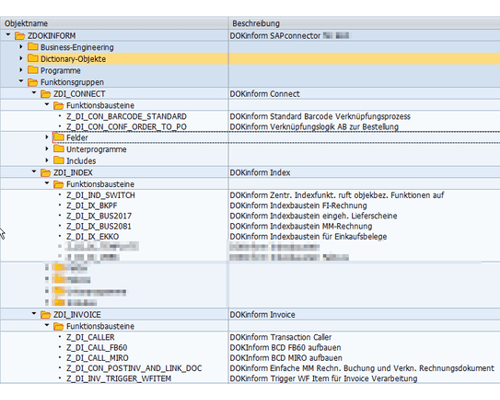
Functions
SAP CRM
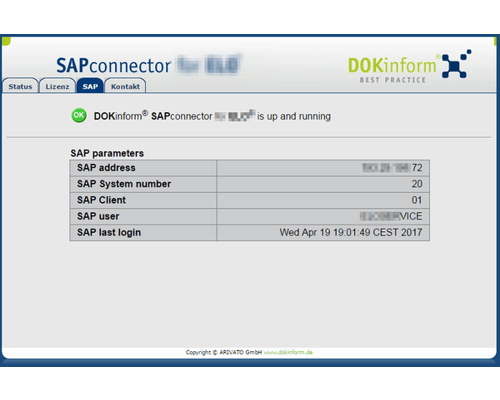
SAP details
JSON request
Functions
Functional diagram


